Hermes Agent Mission Control (2026): The Dashboard AI Users Need
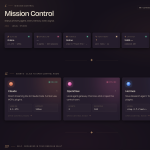
Hermes Agent Mission Control gives you a cleaner way to run AI agents without bouncing between terminals, chats, folders, dashboards, and random tools.
The big problem with most AI workflows is not the model anymore, because the real problem is keeping everything organized enough to use every day.
The AI Profit Boardroom helps you learn practical AI workflows like this so you can build real systems instead of collecting random prompts.
Hermes Agent Mission Control is useful because it gives your AI work one proper home.
That sounds simple, but it changes everything once you start using AI agents for more than one task.
A normal chat window is fine when you want a quick answer.
A terminal is fine when you know exactly what you are doing.
Daily AI work needs something easier to manage.
You need to see your apps, files, outputs, sessions, tasks, memory, creative assets, and agent profiles without digging around everywhere.
That is where Hermes Agent Mission Control starts to make sense.
It turns Hermes into a workspace instead of just another AI tool.
Once everything is visible, the workflow becomes easier to improve.
Hermes Agent Mission Control Makes AI Less Messy
Hermes Agent Mission Control solves the mess that happens when AI starts working across different parts of your business.
One agent might build a website.
Another workflow might generate images.
A separate process might create audio, notes, research, content calendars, or SEO pages.
Without a dashboard, all of that becomes scattered fast.
You end up with good outputs, but no clean system for managing them.
That is a serious bottleneck.
Mission Control gives the work a structure.
You can preview apps, review generated assets, check previous sessions, manage skills, and keep your AI projects in one place.
The output becomes easier to use because the system around it is easier to understand.
The Terminal Problem Hermes Agent Mission Control Fixes
Hermes Agent Mission Control feels like a better option for most people because terminals are not built for everyday users.
Technical people can use a terminal well.
Most people cannot.
That is not a skill issue.
It is just not the best interface for managing visual projects, agent profiles, creative assets, long workflows, and past sessions.
A terminal does not make it easy to see what has been built.
It does not make it easy to manage multiple agents.
It does not make it easy to review websites, images, videos, audio, tasks, and memory from one place.
That is why a visual dashboard matters.
When you can actually see the system, you can actually use the system.
Hermes Agent Mission Control makes AI agents feel less technical and more practical.
Hermes Agent Mission Control With Multiple Agent Profiles
Hermes Agent Mission Control becomes more powerful when you start using different agent profiles.
A single agent can do a lot.
Multiple profiles can make the system cleaner when each one has a clear job.
You might have one profile for research.
Another profile might handle content planning.
Another could work on websites, automation, creative assets, or SEO tasks.
The important part is control.
Without Mission Control, multiple agents can become confusing very quickly.
With one dashboard, you can see what is running, what each profile is connected to, and what work has already been done.
That makes the system easier to trust.
It also helps you avoid the mistake of turning AI into another messy pile of tools.
Good AI automation starts with clear structure.
Memory Makes Hermes Agent Mission Control More Powerful
Hermes Agent Mission Control works much better when it connects to memory.
Memory gives Hermes context.
That context could include your notes, workflows, client details, project history, tool setup, content plans, research, reminders, and previous decisions.
Without memory, the agent keeps starting from zero.
With memory, Hermes can work with the bigger picture.
That is a big difference.
It means your agent can understand what you are building instead of guessing every time you give it a task.
This is where Hermes starts to feel more like a real assistant.
The AI Profit Boardroom gives you a place to learn these workflows step by step without making the setup harder than it needs to be.
A connected memory system is what turns Mission Control from a dashboard into a proper operating system.
Building Websites Inside Hermes Agent Mission Control
Hermes Agent Mission Control is strong for building websites because it keeps the build process visible.
You can ask Hermes to create a website, app, dashboard, or internal tool.
Then you can review the result in the workspace.
That makes iteration easier.
You can improve the layout, rewrite sections, add pages, change the design, or connect the project into a bigger workflow.
The first version does not need to be perfect.
That is the whole point.
You build the first draft, review it, then keep improving it with Hermes.
A visible workspace makes that loop much smoother.
Instead of losing files or jumping through folders, you can keep the project in front of you.
That is how AI builds become easier to manage.
Hermes Agent Mission Control For SEO Systems
Hermes Agent Mission Control is useful for SEO because SEO is not one task.
It is a chain of repeatable tasks.
You need keyword research, content strategy, content calendars, page creation, publishing, internal linking, updates, and tracking.
Trying to manage that through random chats gets messy.
A Mission Control setup lets you build an SEO system instead.
Hermes can help create content plans, generate website assets, manage tasks, build pages, and organize campaigns.
That matters because consistency is what makes SEO compound.
One article is not a system.
One calendar is not a system.
A repeatable workflow that creates, improves, and publishes content is a system.
Hermes Agent Mission Control gives that workflow a cleaner place to run.
Creative Workflows In Hermes Agent Mission Control
Hermes Agent Mission Control can also manage creative workflows.
That includes images, videos, podcasts, text-to-speech, scripts, ideas, and content assets.
Creative AI tools are powerful, but the workflow can become messy very quickly.
You generate one asset in one place.
You write a script somewhere else.
You create audio in another tool.
Then you lose track of which version belongs to which project.
A studio-style workspace fixes that.
You can keep creative assets connected to the project they are part of.
That makes it easier to turn one idea into multiple outputs.
One topic can become a post, page, script, audio file, image set, and video workflow.
Hermes Agent Mission Control makes that process easier to organize.
Business Automation With Hermes Agent Mission Control
Hermes Agent Mission Control works best when you start with one automation.
Most people try to build too much at once.
That usually makes the system harder than it needs to be.
A better approach is to pick one task you do every week.
That could be research, content planning, product descriptions, note organization, lead follow-up, client reminders, meeting summaries, or marketing assets.
Build that workflow first.
Then improve it until it works properly.
After that, add the next automation.
One automation per week can become a serious system over time.
That is how you build without getting overwhelmed.
Small workflows become powerful when they stack together.
Hermes Agent Mission Control For E-Commerce Workflows
Hermes Agent Mission Control can be useful for e-commerce because stores have a lot of repeatable work.
You need research, product pages, image ideas, video concepts, campaign planning, SEO content, and customer-focused assets.
Hermes can help with those workflows when they are structured properly.
The key is to avoid mixing everything together.
Research should have its own workflow.
Product pages should have their own workflow.
Creative assets should have their own workflow.
Marketing campaigns should have their own workflow.
That keeps the system easier to control.
Once each workflow is clear, Hermes Agent Mission Control becomes much easier to improve.
You are not asking AI to magically run the whole business.
You are giving it specific jobs inside a system.
Safer Access Inside Hermes Agent Mission Control
Hermes Agent Mission Control should be set up carefully because agents can become powerful once they can take action.
You do not need to connect everything on day one.
You should not give agents access to tools, folders, accounts, or files unless there is a clear reason.
Start with a small workflow.
Run it locally when possible.
Limit what Hermes can access.
Review the output before expanding the setup.
That is the practical way to use agents.
The goal is not to make the system wild.
The goal is to make it useful and controlled.
A simple setup that you trust is better than a complicated setup you are nervous to use.
Hermes Agent Mission Control works best when you build confidence step by step.
The Bigger Shift With Hermes Agent Mission Control
Hermes Agent Mission Control is not just a nicer interface.
It changes how you think about AI.
Instead of using one prompt at a time, you start building systems that can run repeatedly.
That means agents, memory, skills, websites, creative tools, SEO workflows, notebooks, tasks, and dashboards working together.
This is where AI becomes more practical.
You are not just asking for answers.
You are building a workspace that can help you create, organize, and improve work every day.
The AI Profit Boardroom is where you can learn practical systems like this and turn AI into something you can actually use consistently.
Hermes Agent Mission Control matters because it makes agents easier to operate.
That is what most people need right now.
Not more random tools.
A better system.
Frequently Asked Questions About Hermes Agent Mission Control
What Is Hermes Agent Mission Control?
Hermes Agent Mission Control is a dashboard-style workspace for managing Hermes agents, sessions, tasks, files, apps, creative assets, memory, and workflows from one place.
Is Hermes Agent Mission Control Easier Than A Terminal?
Yes, it is easier for most users because a visual workspace makes it simpler to manage agents, review outputs, switch profiles, and keep projects organized.
Can Hermes Agent Mission Control Manage SEO Workflows?
Yes, it can help with SEO workflows like keyword research, content calendars, page creation, website assets, campaign planning, and publishing systems.
Can Beginners Use Hermes Agent Mission Control?
Yes, beginners can start with one simple workflow and improve it over time instead of trying to automate everything at once.
Does Hermes Agent Mission Control Need Multiple Agents?
No, it is better to start with one Hermes agent first, then add more profiles or specialist agents once your first workflow is working properly.


 NotebookLM SEO Automation: Scale Content and Traffic Effortlessly